Website · Videography & Photography · 2026
Cinenoir
A one-page portfolio for a studio shooting cinematic video and photography for brands. It started as a quick Figma sketch. I directed AI to build it, shaped the effects and feeling with UX principles, and tested it with real users until it worked. The result is a dark, footage-first site where booking is always one click away.
01 — Context
For a studio, the footage is the pitch.
Cinenoir covers events, announcements, interviews, and headshots for brands. A visiting client doesn't want to read about the studio. They want to see whether the work looks like what they need, and then get in touch. So the site had exactly two jobs:
Show the work
Let a client find their kind of shoot in seconds and see it at full size.
Make booking obvious
From anywhere on the page, the next step is one click away.
These two jobs became the test for everything that came after: the sketch, every effect, and every piece of user feedback.
02 — How I worked
I sketched it, directed it, and let users judge it.
It started as a quick sketch in Figma, just enough to fix the layout: a dark stage, one headline, filters for shoot type, a bento grid of work, and the booking button in the corner. I handed that sketch to AI and directed what it built: the effects, the pace, and the feeling of the site. Each direction came from a UX principle, not from “make it look cool”.
Then I put each build in front of real people and watched where they hesitated. Their feedback became the next round of direction, and I kept going until the site you see now.
- 01
Sketch
A quick Figma sketch: dark stage, one headline, shoot-type filters, a bento grid, and “Book a session” in the corner.
- 02
Direct
I gave AI the sketch and directed the effects and the feeling, each one tied to a UX principle, not to taste.
- 03
Test
Real people looked at each build and told me what confused them, what they skipped, and what they'd click.
- 04
Iterate
Feedback went back in as new direction. Sketch, direct, test, repeat, until people stopped getting stuck.
What AI did
- Turning the sketch into working code
- Building the effects I asked for
- Variations when I wanted to compare options
- Responsive layouts for desktop and mobile
What I decided
- The sketch: layout, hierarchy, where booking lives
- The feeling and the effects, and the UX reason for each
- Putting every build in front of real users
- Deciding which feedback to act on
03 — The filter
Six checks behind every direction I gave.
Instead of asking “does this look good?”, every effect, layout change, and line of copy I asked for was held to a short list of questions. If something AI built failed one, it was cut or redirected, no matter how polished it looked.
- Hick's law
Does this add a choice the client doesn't need? Cut it.
- Von Restorff effect
Is red used for anything other than booking or “you are here”? Remove it.
- Fitts's law
Is “Book a session” big and reachable on every screen, including a phone held in one hand?
- Recognition over recall
Can a client find their kind of shoot without reading or remembering anything?
- Aesthetic–usability
Does the style support the footage, or compete with it?
- Accessibility
Is the text readable on charcoal, and can the viewer be closed and stepped through with the keyboard?
04 — Structure
One page, five beats.
The default studio site has an about page, services, pricing, testimonials, and a blog. I wrote the page instead as the order a client should experience it in, and cut everything that didn't serve “see the work” or “book a session”. Booking appears at the start and the end, the two places people remember best.
- 01
Slate intro
Sets the cinematic tone while the media loads
Occupied waits feel shorter
- 02
Header + hero
One promise, and the booking action in the corner
Jakob's law
- 03
Filters + gallery
12 pieces of work, sortable by shoot type
Recognition over recall
- 04
Process
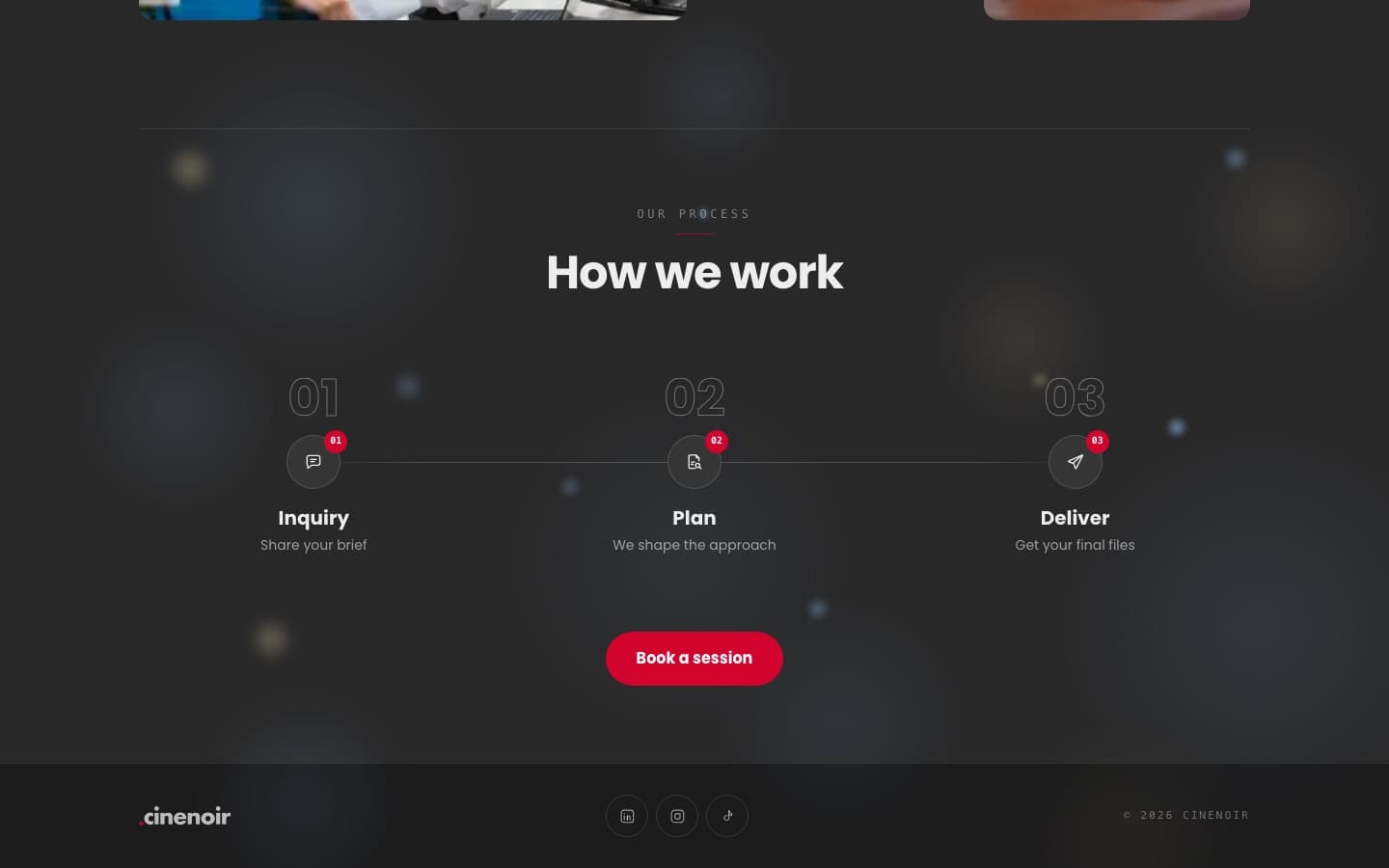
Inquiry → Plan → Deliver, three steps, no surprises
Reduce uncertainty
- 05
Closing CTA + footer
Second chance to book, then socials
Serial position effect
Phase 1 — Low fidelity
Grey boxes, so the debate is about order, not colour.
05 — The homepage, in greyscale
Every block has to earn its space.
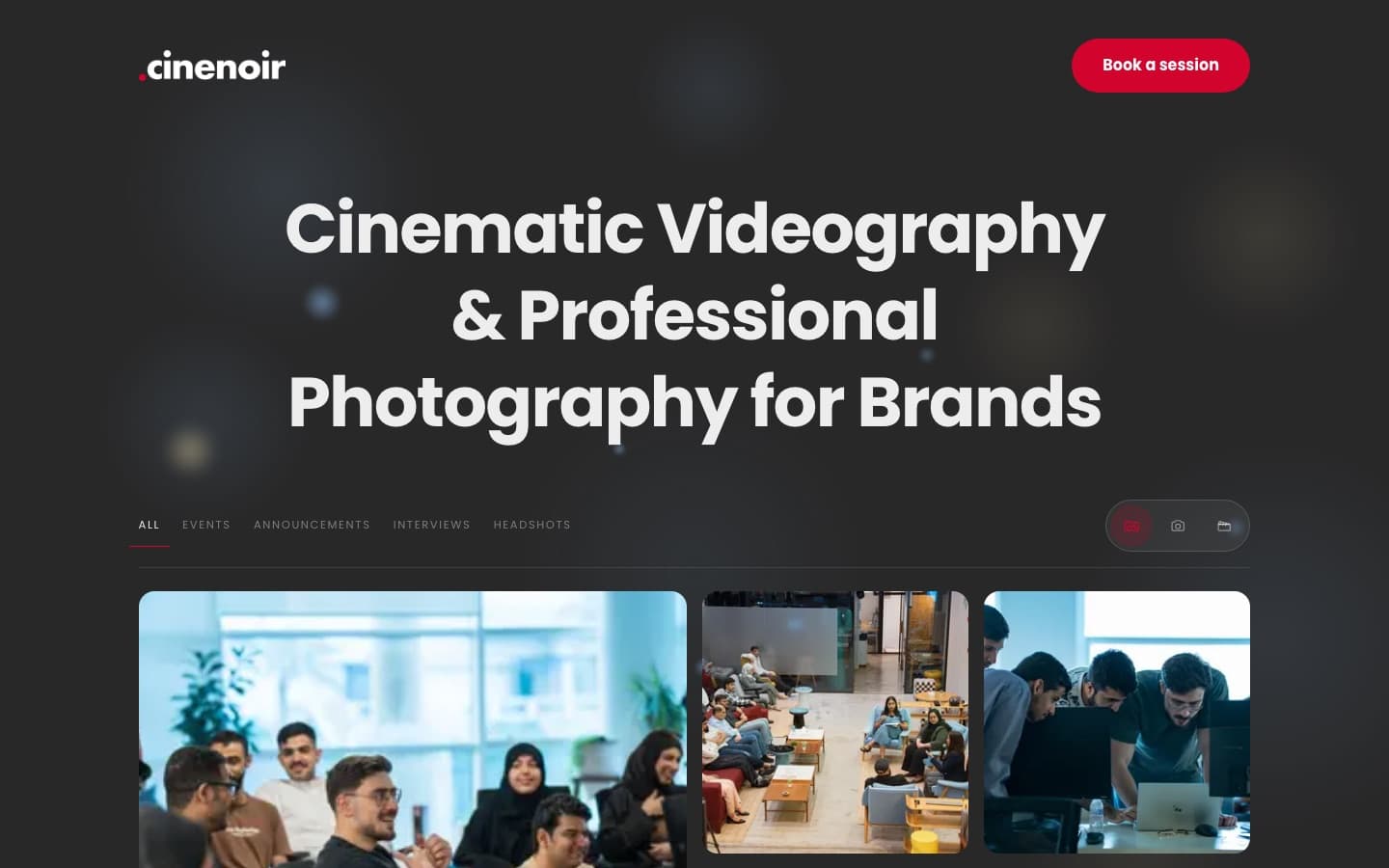
The Figma sketch fixed the layout. Redrawn here as crossed boxes and bars, there's nothing to admire, only one question: is each block in the right place, and why?
Cinematic Videography & Professional Photography for Brands
Our process
How we work
Inquiry
Plan
Deliver
- 1
Header stays minimal
Hick's lawLogo on the left, “Book a session” on the right. No menu: fewer choices means a faster decision, and a one-page site doesn't need one.
- 2
Say what it is, once
Visual hierarchyA single headline names both services and who they're for. Nothing competes with it, so the eye drops straight into the gallery.
- 3
Filters use the client's words
Match the real worldEvents, Announcements, Interviews, Headshots are the words a client would put in a brief, not studio jargon. A small switch toggles all / photos / videos.
- 4
The work is the page
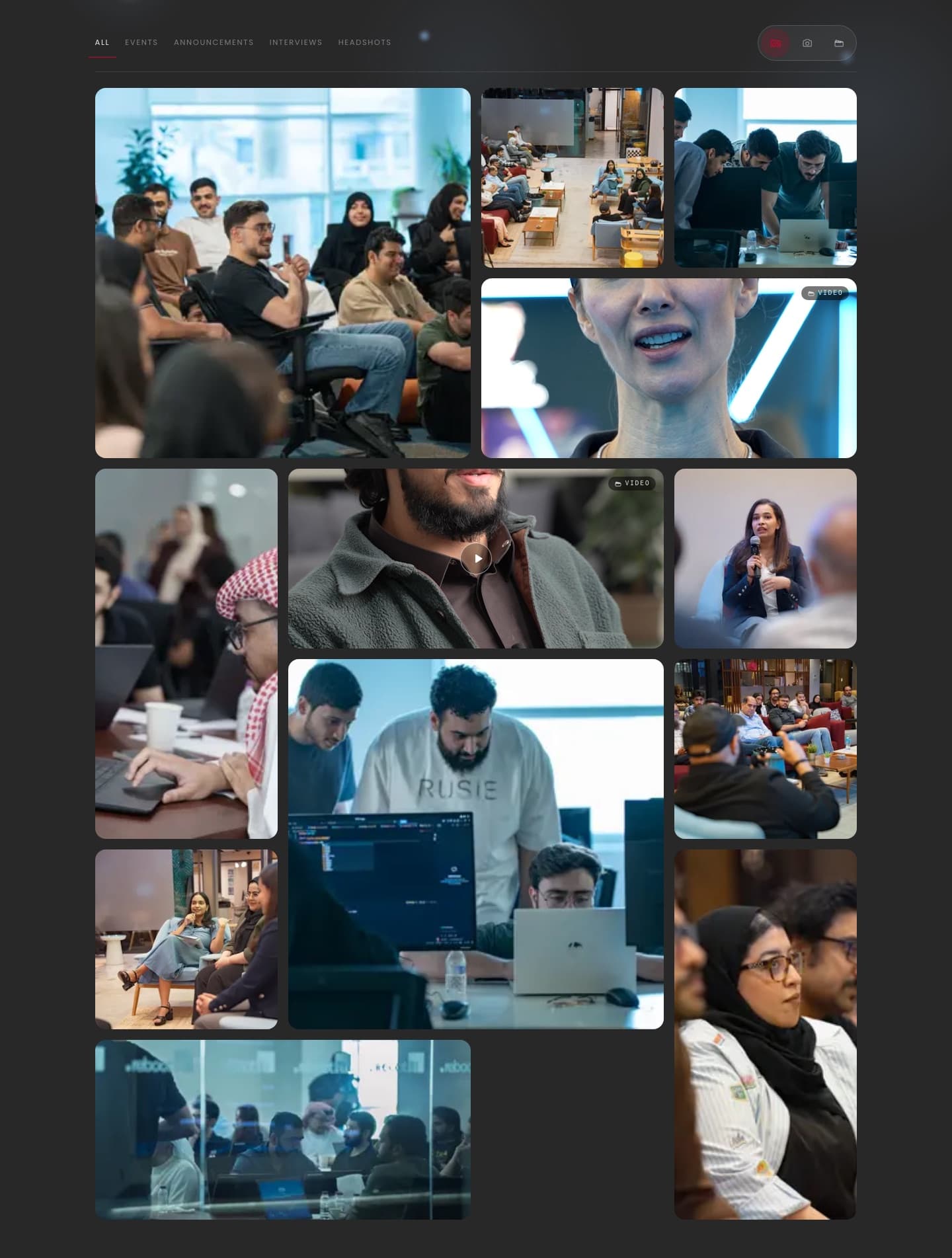
Gestalt: similarityA bento grid of 12 tiles: a large lead, wide and tall tiles to break the rhythm, and video tiles marked so they read differently from stills.
- 5
Process answers “what happens next”
Reduce uncertaintyThree steps on one line take away the fear of reaching out, followed directly by the second booking button.
- 6
Footer as sign-off
Peak–end ruleLogo, socials, copyright. A calm, short ending instead of a wall of links.
06 — Gallery, viewer & mobile
Find your kind of shoot, then see it full-screen.
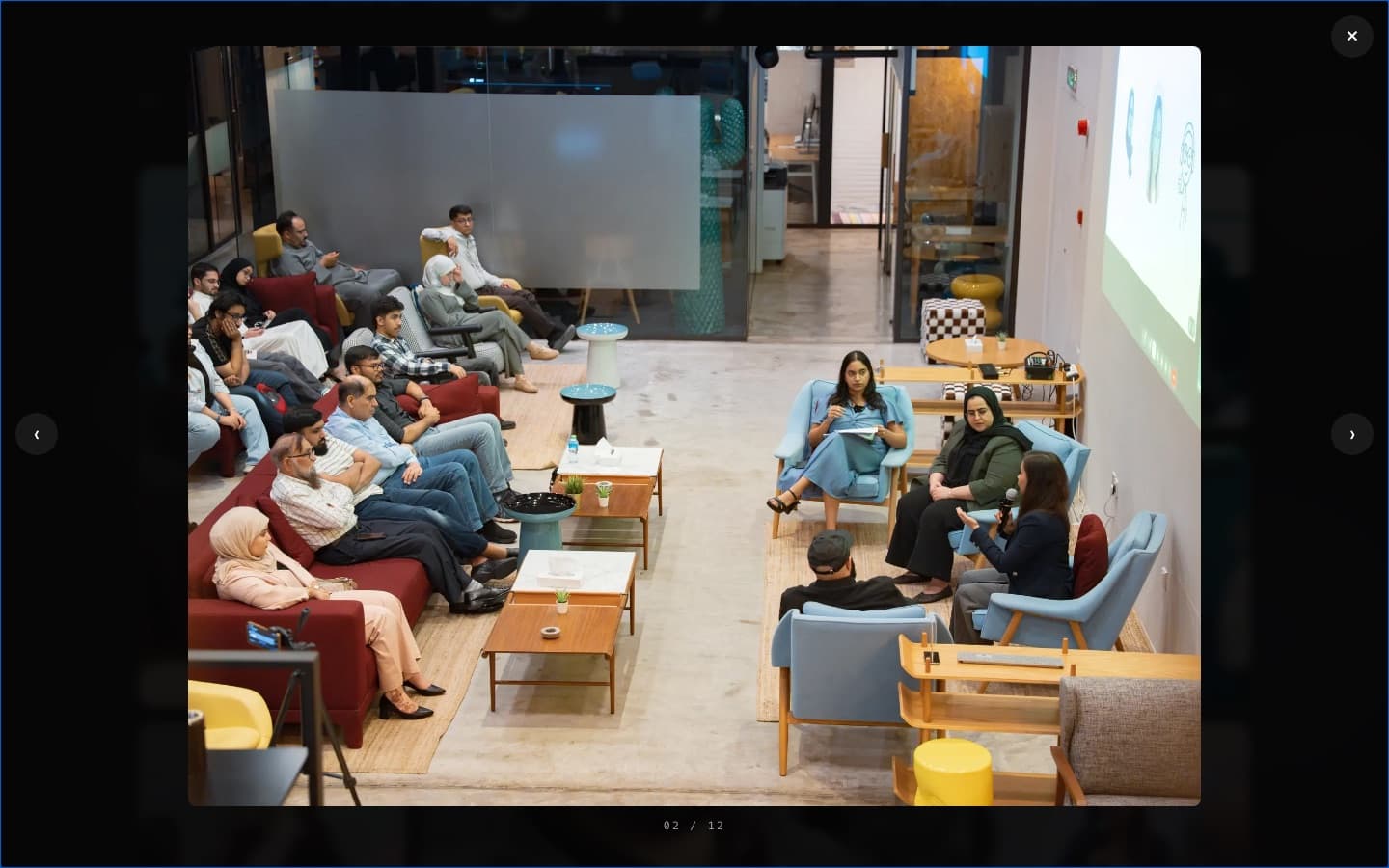
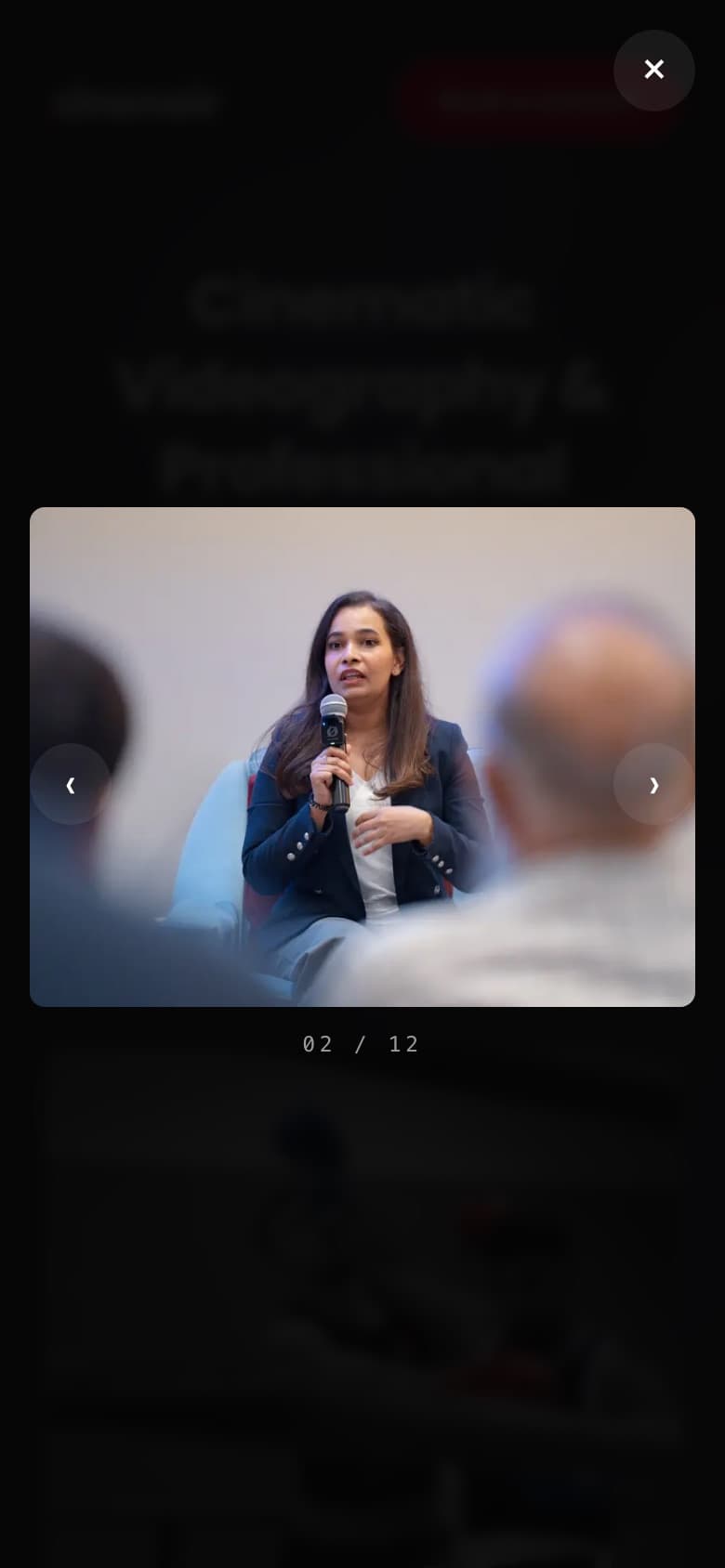
A client planning an interview series shouldn't scroll past event coverage to find one. A tab narrows the grid to that shoot type, and opening a tile drops into a dark viewer with only close, previous / next, and a counter that says where you are. Browsing should feel like watching a reel, not clicking thumbnails.
02 / 12
Mobile was drawn alongside desktop, not after it.
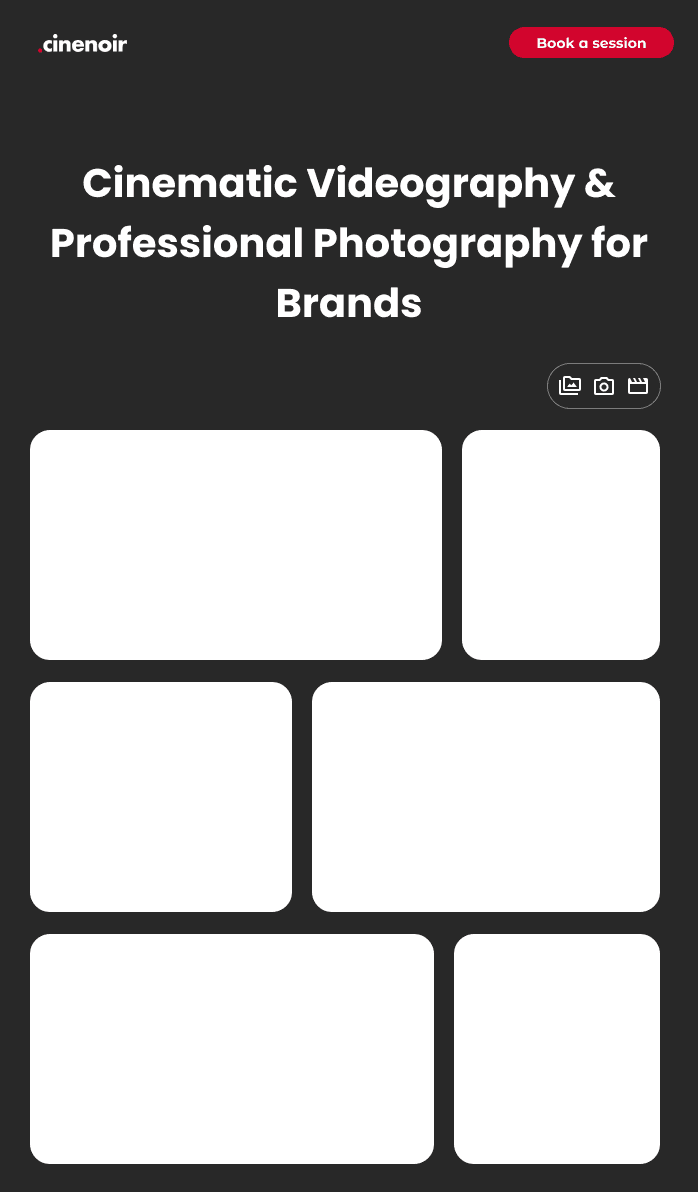
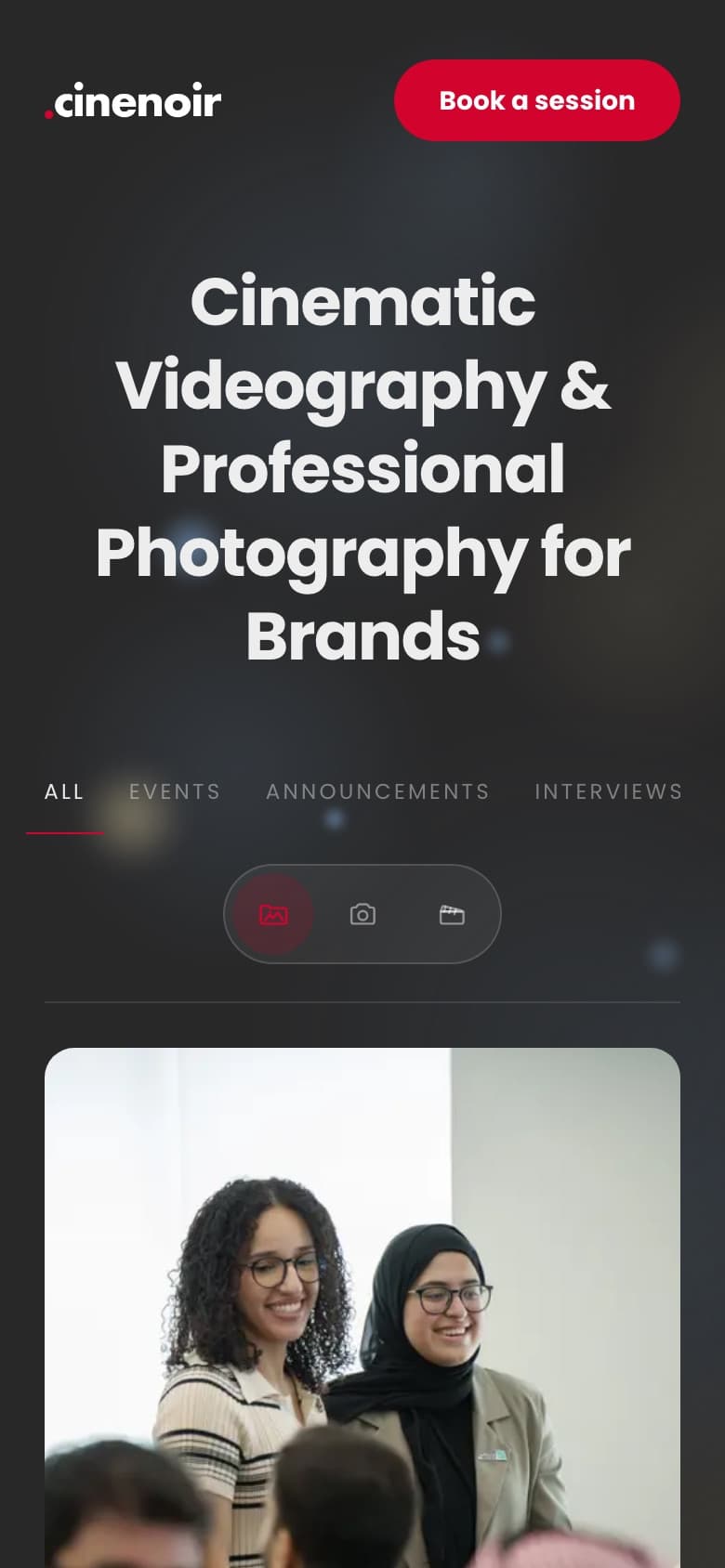
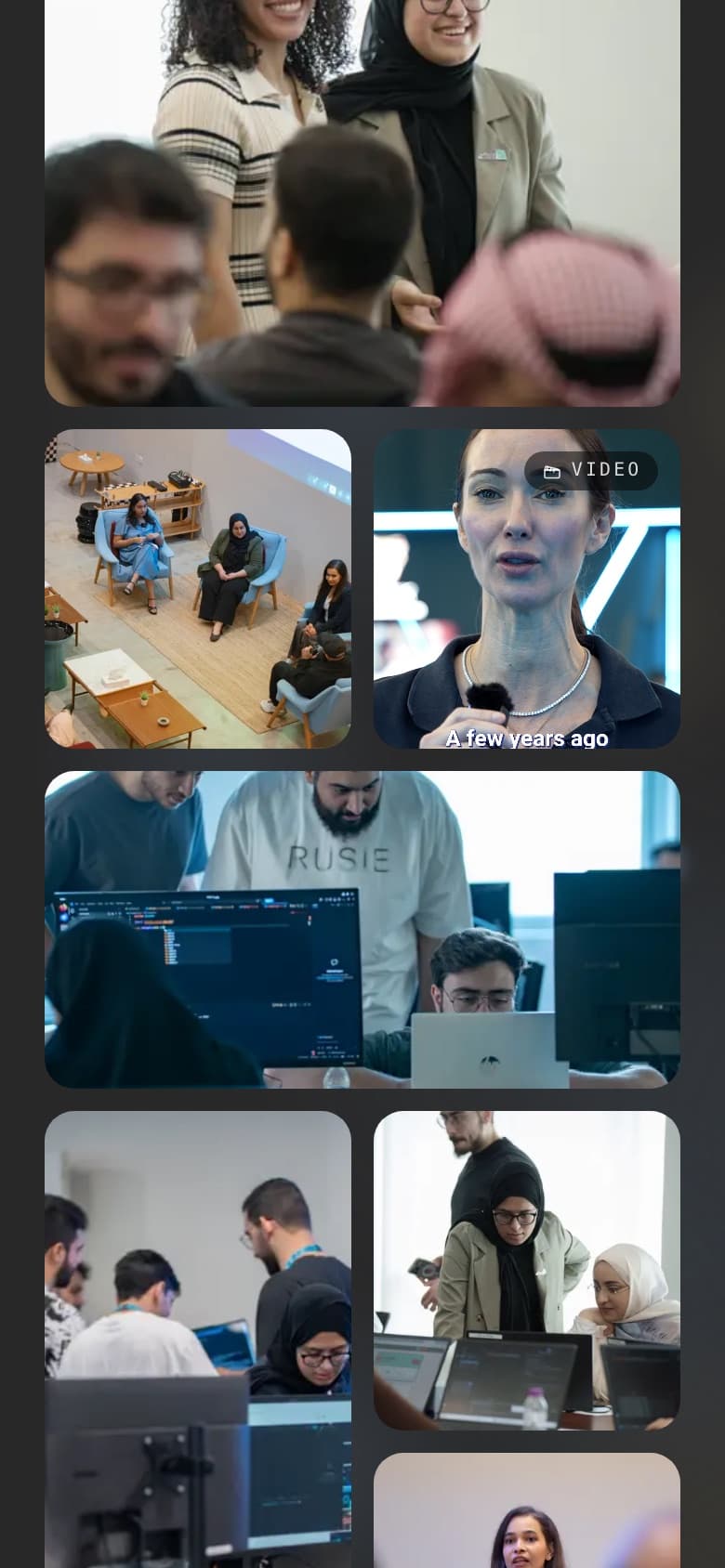
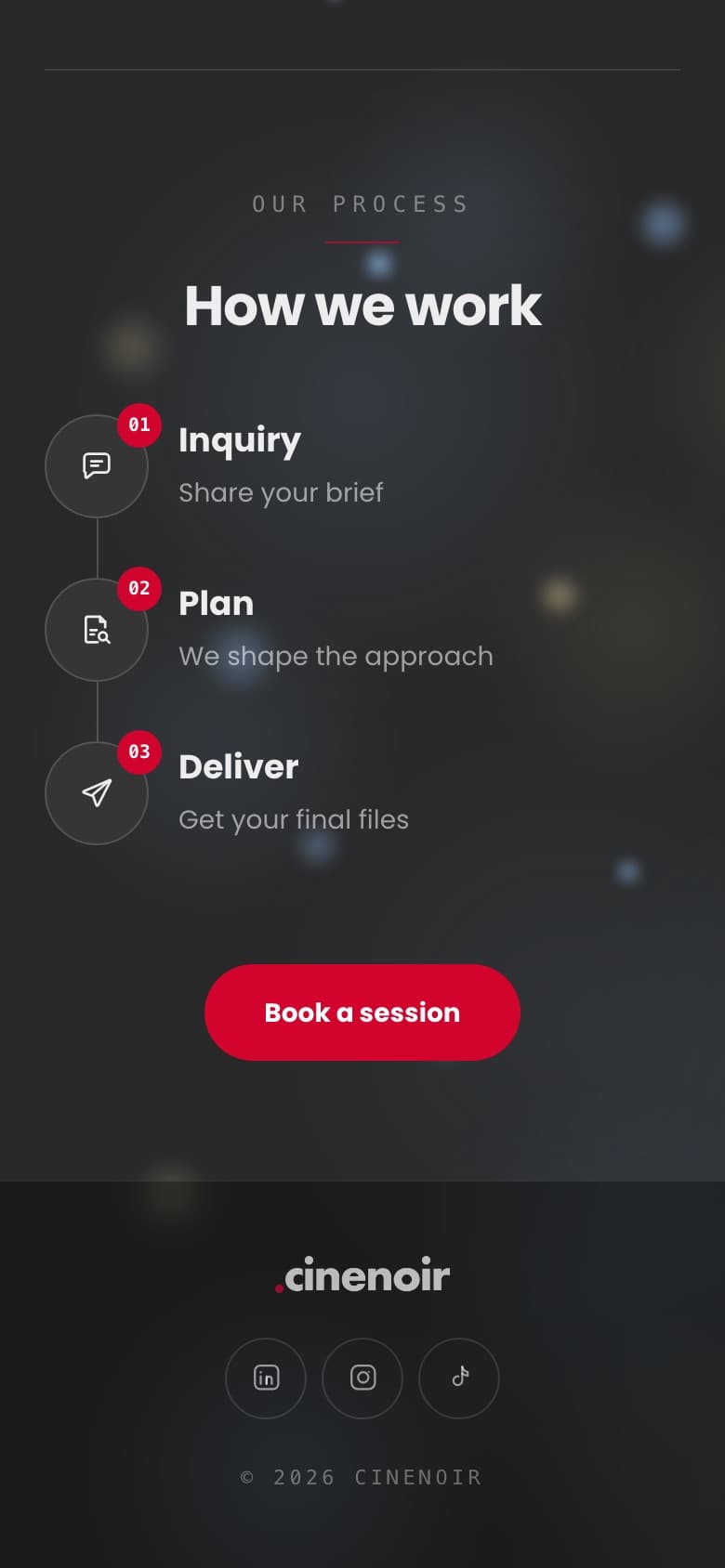
Links to a studio usually arrive in a DM or an Instagram bio, so most clients see it on a phone first. The grid drops to two columns with full-width feature tiles, the tabs stack over the view switch, and the booking button stays in the header within easy reach.
Cinematic Videography & Professional Photography for Brands
How we work
Inquiry
Plan
Deliver
Phase 2 — High fidelity
Same skeleton, now with the lights down.
07 — Visual direction
Noir, without swallowing the photos.
The name asked for dark, but pure black makes bright event photos glare. A charcoal base keeps them vivid. A single cinema red has one job: booking, plus the active state of whatever you're looking at. Because nothing else is red, the button is always the thing that stands out. Headlines use a heavy geometric sans, and small labels use monospace, like the text on a camera slate.
Background
#282828
Charcoal, not pure black, so bright photos don't glare
Footer
#1C1C1C
One step darker to close the page
Text
#EDEDED
Soft white for headlines and labels
Action
#D2042D
Used only for booking and active states
Display — Poppins Bold
Cinematic Videography
Labels — Monospace
Interviews
02 / 12
Book a session08 — Opening shot
Start like a film starts.
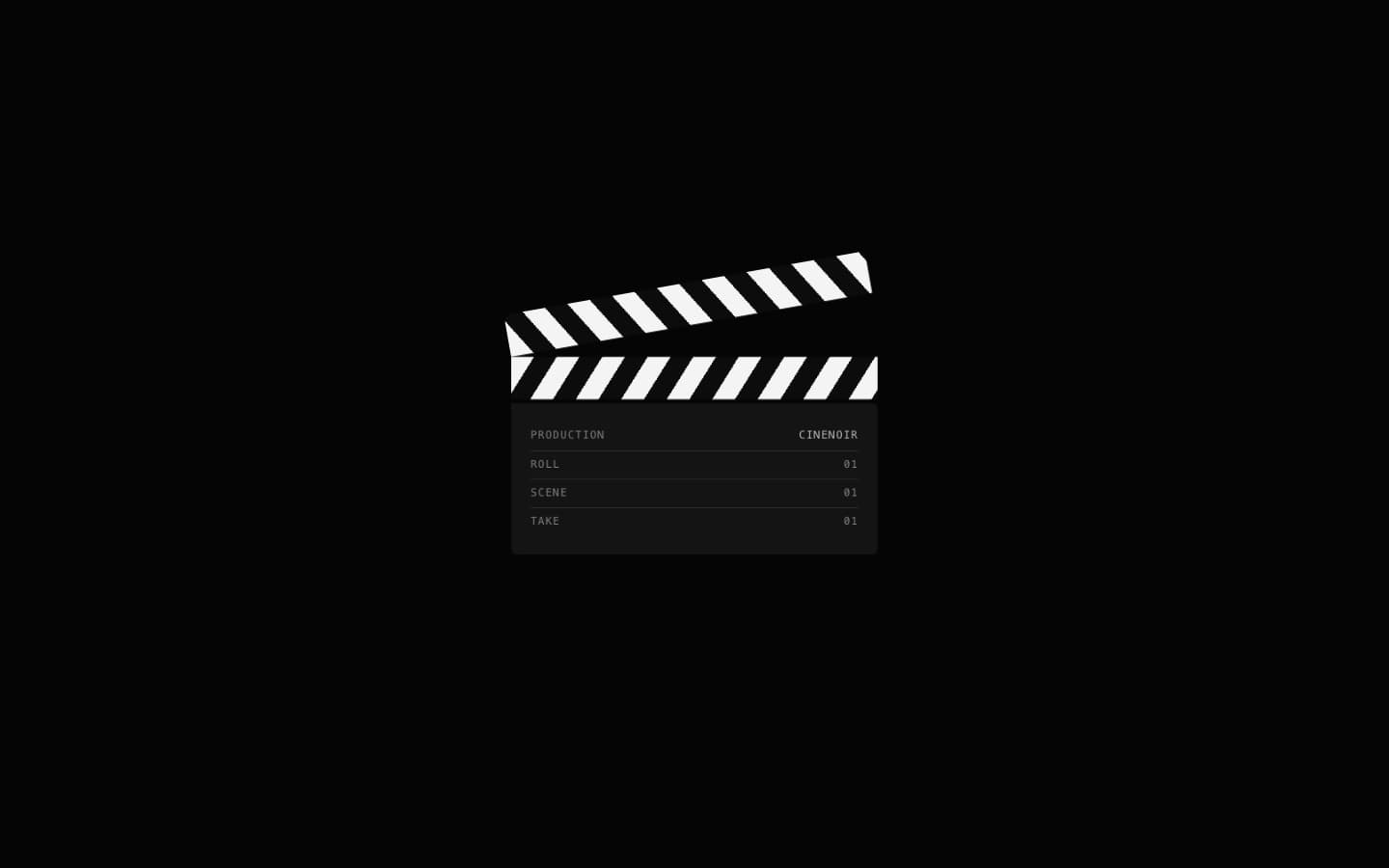
Heavy footage takes a moment to load. Instead of a spinner, the intro is a clapperboard slate (Production, Roll, Scene, Take). A wait with something to look at feels shorter than an empty one, and it tells a visitor in one second that this is a production studio, not a stock-photo library.
Production
CineNoir
Roll
01
Scene
01
Take
01
09 — Find, view, book
Every path ends one tap from booking.
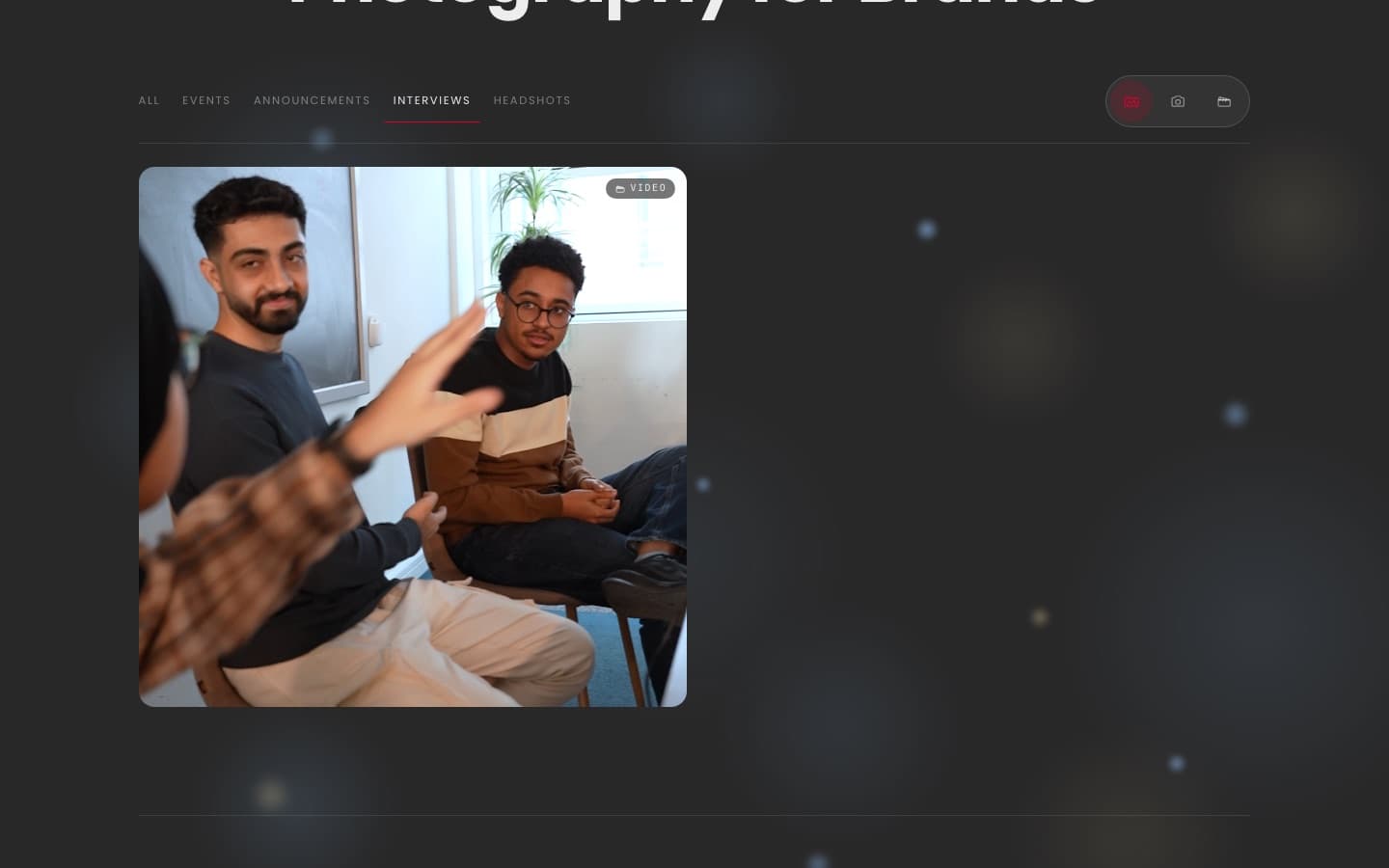
The active tab gets a thin red underline so you always know which filter is on, and the grid reflows to that shoot type. The viewer dims the page almost to black so the photo is the only lit thing on screen, with a monospace counter underneath. Once a client has seen enough, the process section answers “what happens next” and puts the red button in front of them again.
10 — Mobile, hi-fi
Built for the link in the bio.
On a phone the headline wraps into a tall stack, the booking button stays in the header, and the gallery mixes full-width feature frames with pairs. The process becomes a vertical timeline, with red step numbers leading the eye down to the button.
11 — Low-fi → Hi-fi
Side by side, almost nothing moved.
The structure from the first sketch held all the way to the build: same header, same bento rhythm, same stacked mobile flow. AI could build it quickly because the hard decisions were already made. What changed is what the sketch left open, and what users pushed on: real footage, a charcoal stage, one red for booking, and type borrowed from a film set.
Homepage
Header, headline, tabs, bento gallery
Cinematic Videography & Professional Photography for Brands
Our process
How we work
Inquiry
Plan
Deliver
Mobile
Stacked hero, tabs over the view switch, feature tiles
Cinematic Videography & Professional Photography for Brands
How we work
Inquiry
Plan
Deliver
What this taught me
AI built it fast. UX principles told it what to build. Users told me whether it worked.
Building stopped being the slow part, so the time went into what matters more: directing and testing. A rough sketch was enough to start, because the real design happened in the rounds of feedback. Watching people use each build kept the site honest to its two jobs. The footage already carries the mood, so the design added only what the work needed: a dark stage, one accent colour with one job, and a booking button that's never more than a click away.
See the live site